
Learning, Certifying, and Climbing the IT Ladder
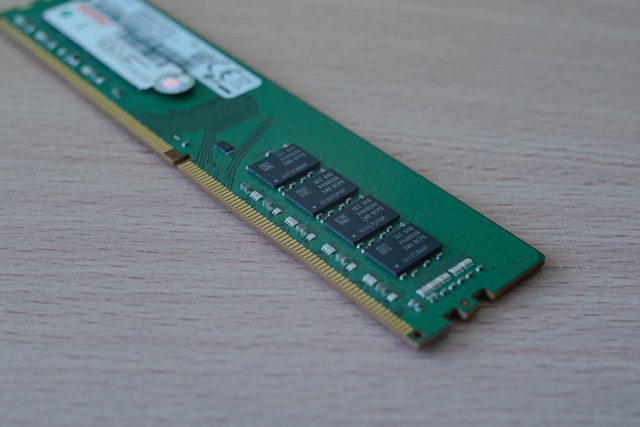
Okay so before we get into DDR specifically, let's talk about what RAM even is, because a lot of people just say "get more RAM" without really knowing why.
RAM stands for Random Access Memory, and basically it's your computer's short-term memory. When you open an app or a game, your computer grabs the stuff it needs off your hard drive (which is where everything's stored permanently) and loads it into RAM so it can use it super fast. It's kind of like doing homework at your desk — your hard drive is like the filing cabinet where all your notebooks live, but RAM is your actual desk space. The bigger the desk, the more books and papers you can have spread out at once instead of having to keep putting stuff away and pulling new stuff out. That's why more RAM = smoother multitasking.
One catch though — RAM doesn't remember anything once you shut your computer off. It's temporary. That's actually the tradeoff that makes it so fast in the first place, since it's not doing all the extra work of permanently saving data like your hard drive does.
Now, DDR RAM (Double Data Rate) is just the specific kind of RAM basically every computer uses today. The "double data rate" part means it can send data twice per clock cycle instead of once, so it's way faster than the older memory types from back in the day. Over time it's gone through a bunch of generations — DDR, DDR2, DDR3, DDR4, and now DDR5 — and each one's been an upgrade in speed and efficiency.
DDR and DDR2 were the first two versions, basically the OGs. DDR came out in the early 2000s and doubled the speed of whatever memory came before it by moving data twice per clock cycle instead of once. DDR2 followed not too long after and was even better — more bandwidth (so it could move more data at a time) and less power usage, which made it good for laptops. You can actually tell them apart just by looking — DDR has 184 pins on the stick and DDR2 has 240. Eventually both got phased out once faster stuff came along.
DDR3 kept up the trend — still 240 pins like DDR2, but handled data better internally. Then DDR4 came in with lower power usage and higher speeds, and switched over to 288 pins to handle the upgrades. Now we've got DDR5, which is basically double the speed of DDR4 but still keeps that same 288-pin setup. It can also hold way more data, which matters if you're doing stuff like 4K gaming or editing videos where a ton of information needs to move fast.
Bottom line — knowing this stuff actually helps if you're ever upgrading or building a PC, since you need RAM that matches what your motherboard can actually support. You can't just throw any generation in there and expect it to work.